AdGuard for Windows v8.0 beta 2: Improvements and fixes
Work on version 8.0 is in full swing — and this beta brings a cleaner Extensions section, better userscript compatibility, and a fix for a pesky issue some Windows users encountered. As usual, we’ve updated our libraries — CoreLibs and DnsLibs — as well as drivers, fixed a bunch of bugs, and fine-tuned quite a few things along the way.
Extensions: А clearer home for your userscripts
We’ve renamed the Userscripts section to Extensions — a term far more familiar to anyone who has ever used browser extensions and knows they’re meant to… well, extend functionality. It’s also the name used in version 7, so the transition should feel more natural.
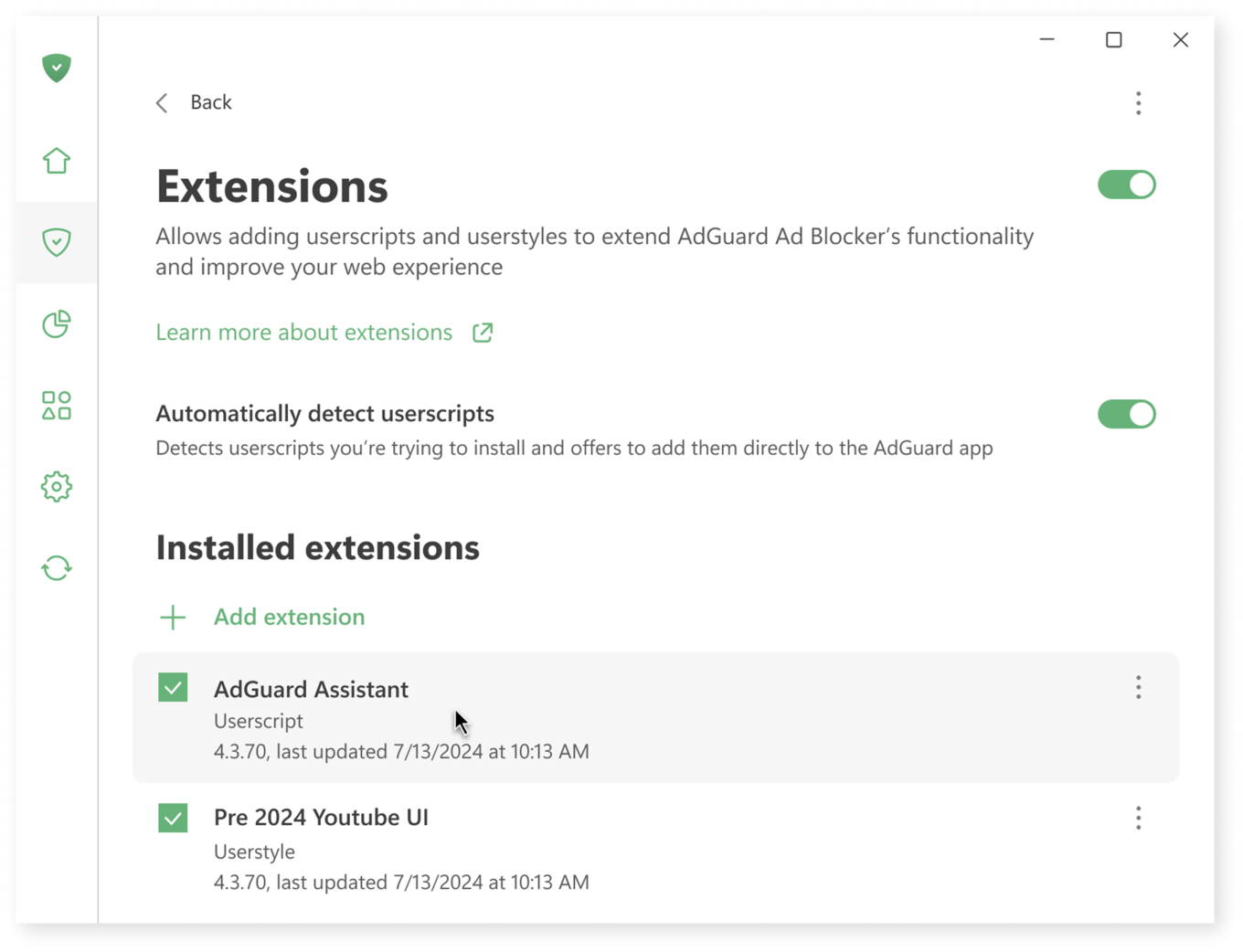
In this section, you can add custom scripts and styles — perfect if you want to add a dark mode on a website, download YouTube videos, or hide distracting elements on X (formerly Twitter).
You can now see all installed extensions at a glance, visit their official pages (if available), reinstall them to reset them to their original versions, or remove them entirely. Editing will also be available in the release version.
Better compatibility with single-page application scripts
Many userscripts are designed for single-page applications (SPAs) like YouTube. Until now, such scripts often didn’t run correctly: for example, opening YouTube’s homepage first could prevent the script from loading and staying active when navigating to other pages within the site.
This update fixes that limitation by ensuring these scripts execute properly across SPA websites, making AdGuard even more flexible for advanced customization.
This also means we can confidently recommend tools like SponsorBlock, which automatically skips sponsored segments in YouTube videos.
How to try SponsorBlock:
- Go to https://mchangrh.github.io/sb.js/.
- Click Generate link.
- Copy the link that appears.
- Open AdGuard and go to Extensions → Add extension → Import from file or URL.
- Paste the copied link and confirm.
Important bug fixes
Among other issues, there were two that were significant enough to mention.
After releasing AdGuard for Windows 7.22, some users experienced occasional page loading issues in their browsers. While the issue was quickly resolved for Chrome, it lingered longer in Firefox because the bug was rare, hard to reproduce, and triggered by a very specific combination of factors that slipped past our testing. You can read more about the incident in our post-mortem
Another issue, related to the HTTP proxy port setting, has been fixed in release version 7.22.2.
We’ve made sure to include these fixes in this beta version as well.
Thank you for testing
Everyone who tests and uses the beta — you’re amazing. Your reports help a lot, and thanks to you we’ve already fixed a bunch of bugs. This brings us closer to delivering a polished and powerful AdGuard for Windows v8.0.